How the Chelsea Labs OS Works
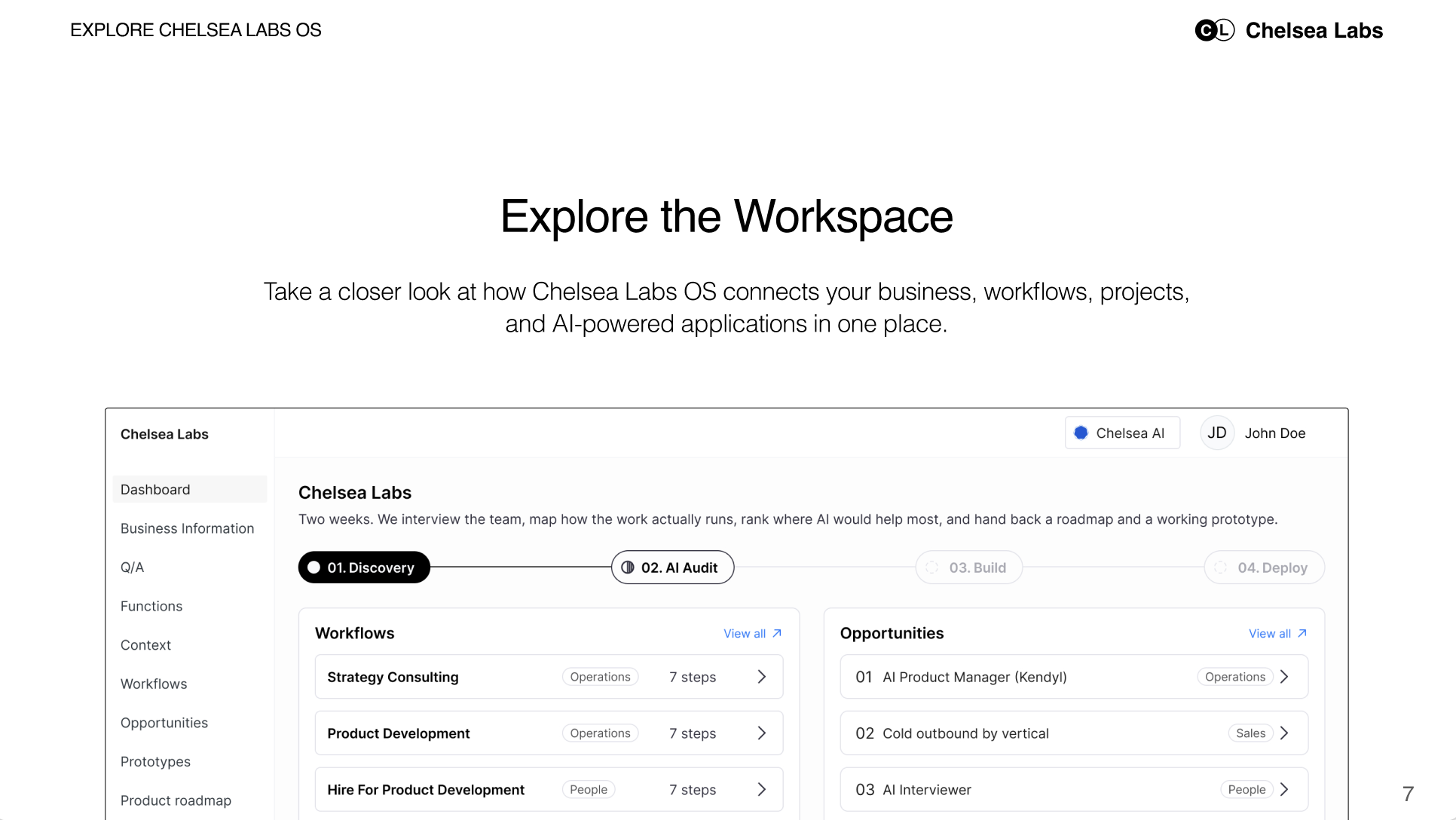
A look inside the workspace that connects your business, AI projects, applications, and results.

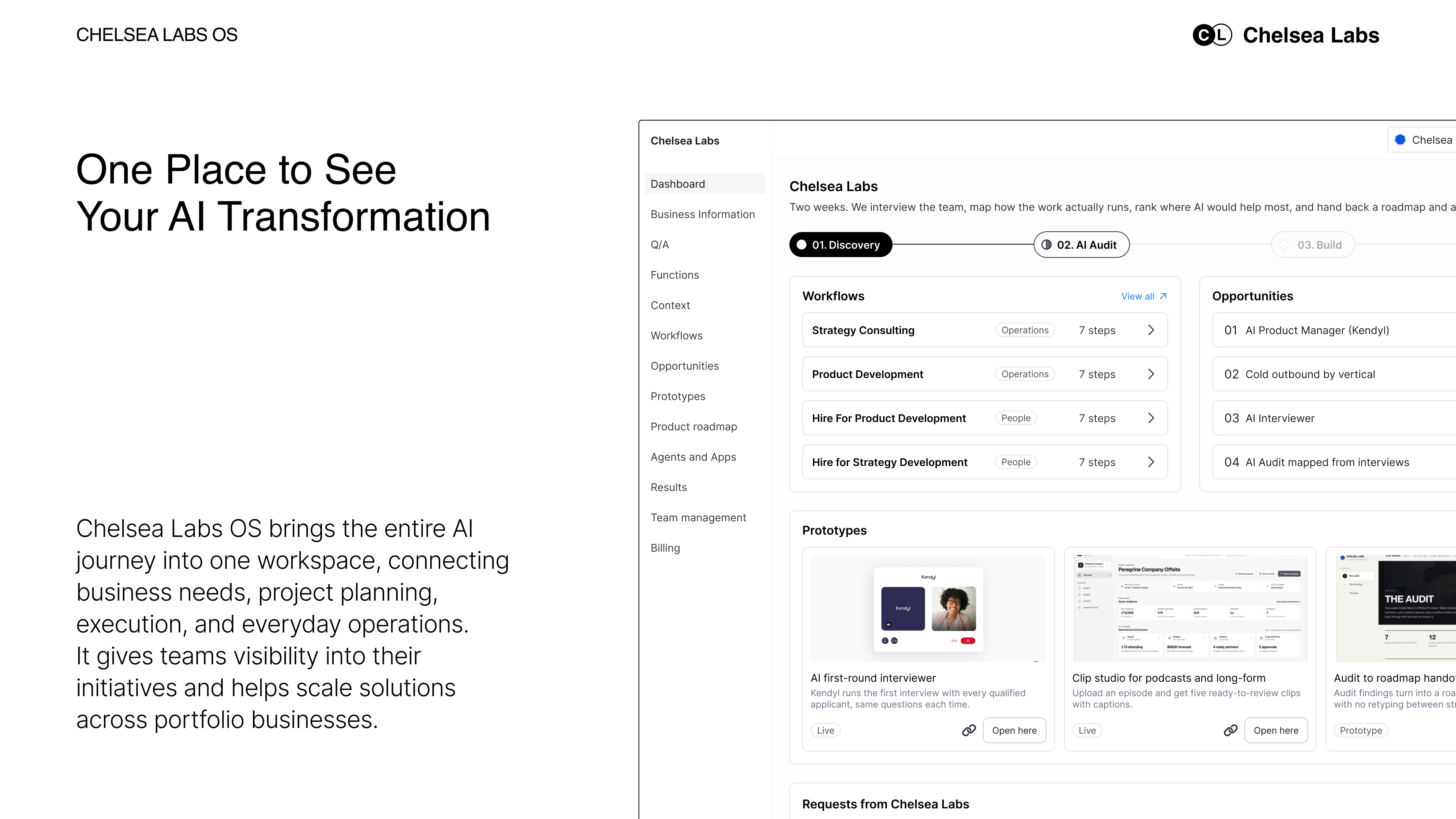
One Place to See Your AI Transformation
Once you choose your first AI project, you should be able to follow it from the original idea to the work your team does every day.
What problem are we solving? What is being built? Where does your team need to weigh in? After launch, what improved?
Chelsea Labs OS connects those questions in one workspace. It brings together the context behind a project, the plan for delivering it, and the application your team uses when it goes live.
For business owners and leadership teams, it provides a shared view of the work within their company. For private equity firms, it helps organize initiatives across portfolio companies and identify where a solution might be useful elsewhere.
To show how the pieces connect, we’ll follow a workflow from our own business: hiring at Chelsea Labs.
Start With How the Business Works
Every AI project needs business context. A hiring project, for example, should connect to why the company needs more people, which roles it needs to fill, and who is responsible for the process.
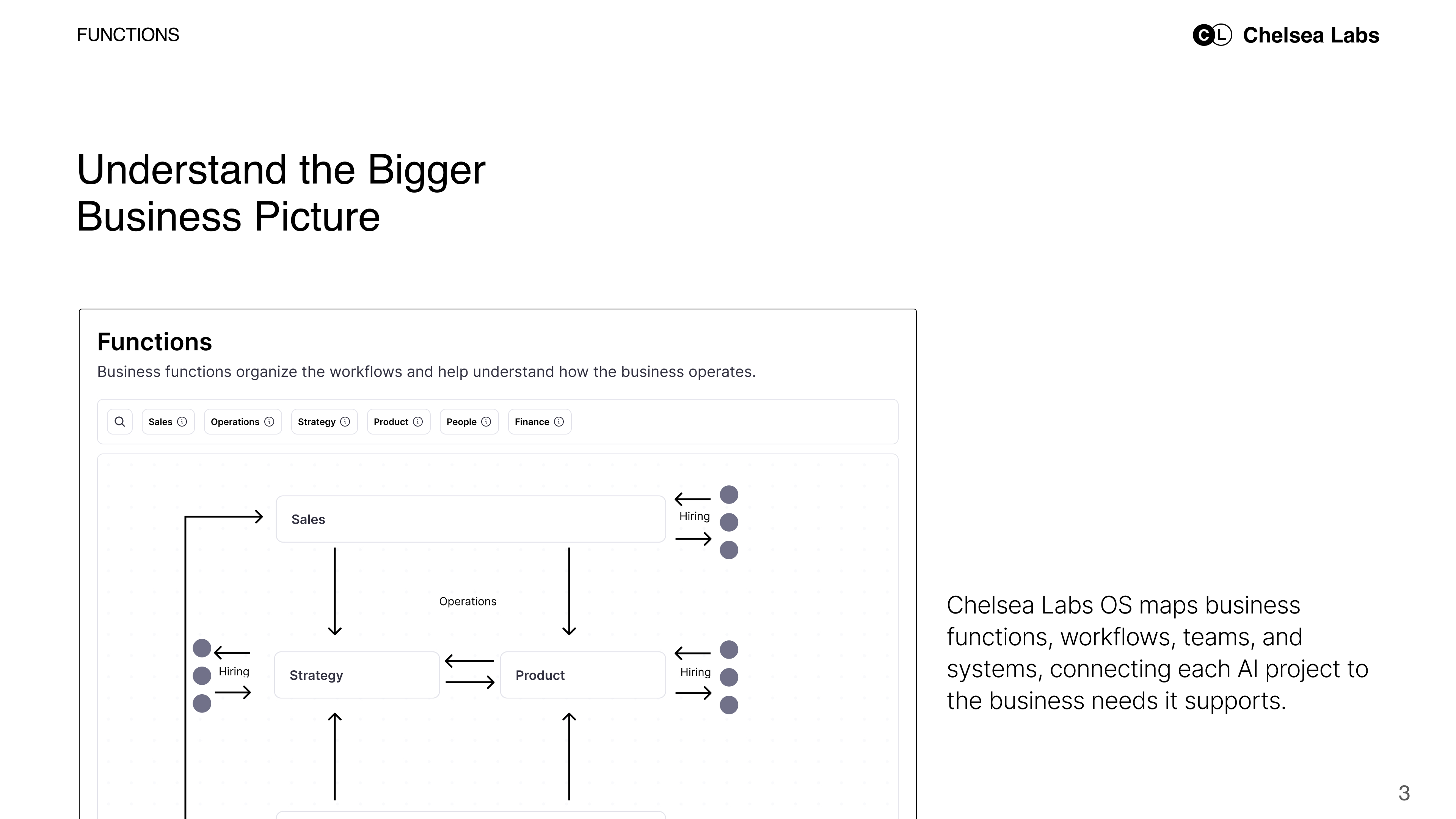
In Chelsea Labs OS, we organize that context across functions such as sales, operations, people, and finance. Within each function, we map the workflows, teams, and systems involved.
At Chelsea Labs, hiring supports our ability to bring in talent as client demand grows. It also takes time from the people responsible for delivering client work. Mapping the business helps us place that workflow in context and understand why improving it matters.
The same approach applies to a healthcare provider managing patient intake or a field services company following up on open quotes. We connect the workflow to the part of the business it serves.
As projects develop, that business map remains a shared reference for your team and ours.
Open a Workflow and Follow the Work
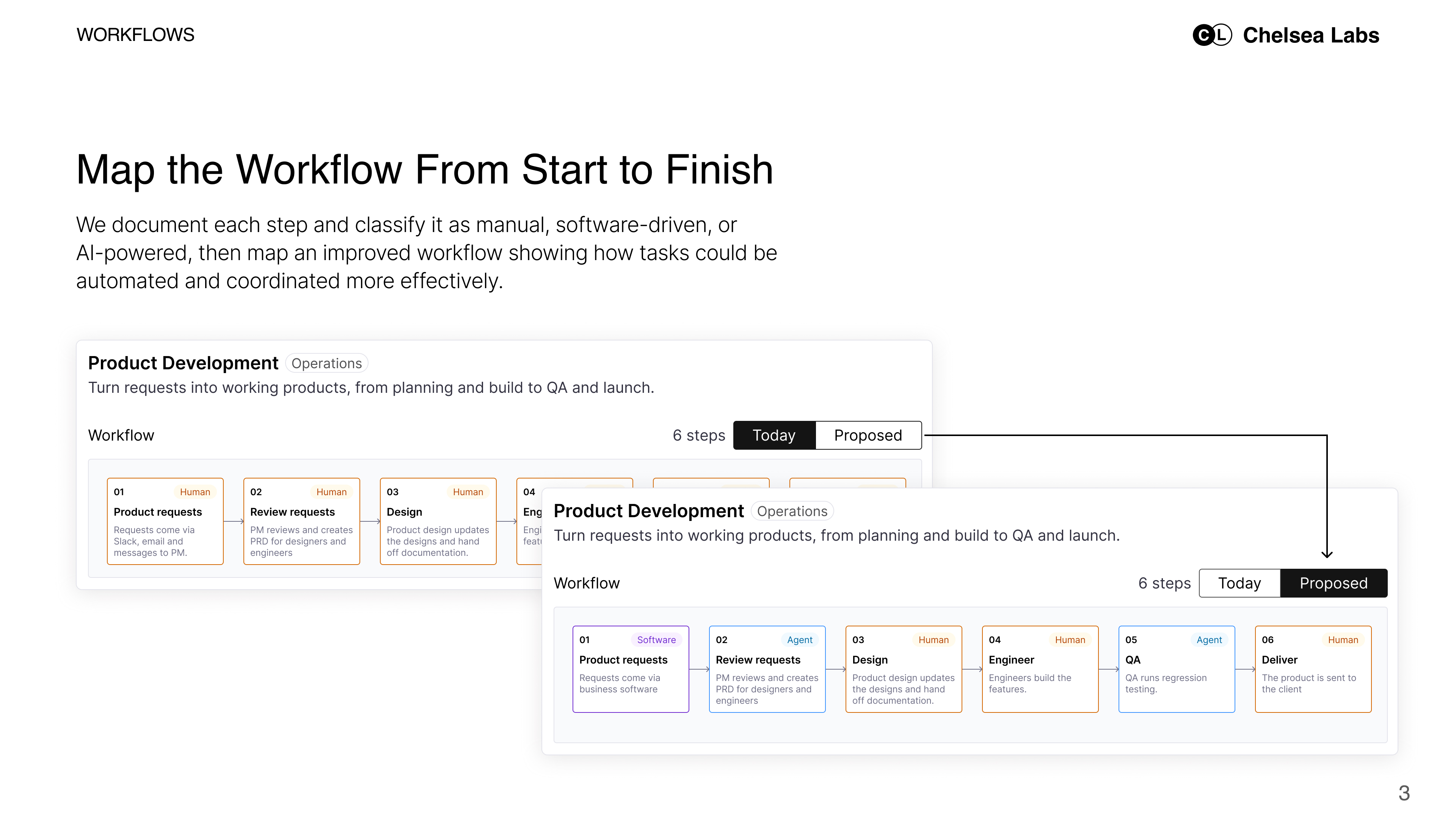
Inside a workflow, we document how a task moves from start to finish.
Who starts it? What information do they need? Which tools do they open? Where does the work wait for someone else?
For hiring, we follow the process through candidate outreach, applications, initial screening, and final interviews. We identify the work people handle, the software they use, and the information passed between steps.
This makes the handoffs easier to see. A resume arrives in one place. Screening notes are recorded in another. Someone checks availability and arranges the next interview.
We also capture the exceptions. What happens when a candidate leaves an answer blank? Who decides whether someone moves forward? Those details help define what an agent can take on and when a person needs to step in.
The documented workflow gives everyone a starting point they can review and update as the project develops.
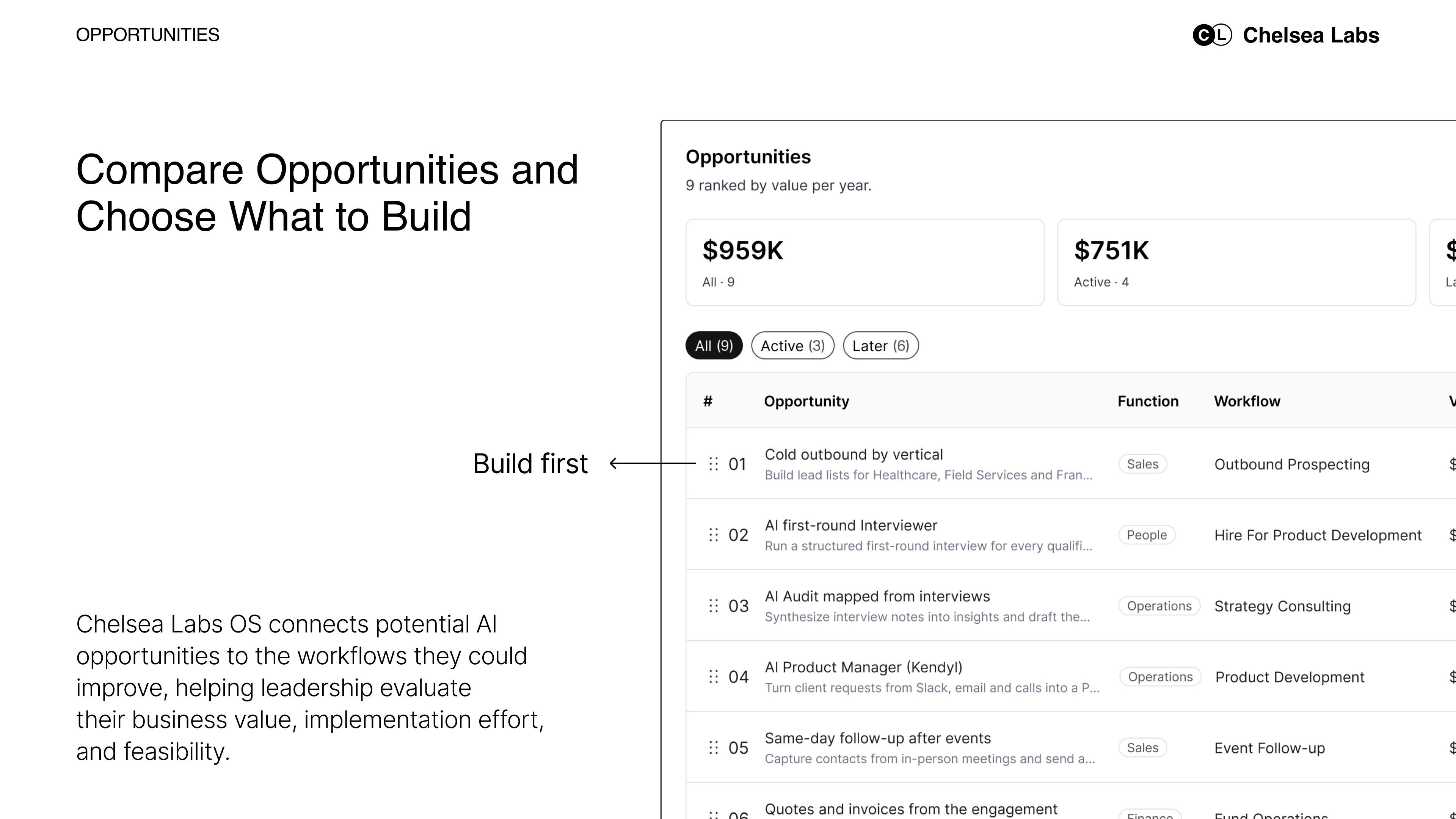
Compare Opportunities and Choose What to Build
Once the workflows are visible, potential projects become easier to discuss.
An opportunity might be reducing the time spent on initial screens, following up on unanswered quotes, or creating a new service using information the business already holds.
Chelsea Labs OS keeps those opportunities connected to the workflows they would change. This helps leadership compare ideas with the business context in view.
We assess the expected value, implementation effort, access to information, dependencies, and the team’s ability to adopt the solution. A promising idea may need another system connected first. A smaller project may offer a faster way to test whether the approach works.
For our hiring example, we can focus the first project on initial screening and interview coordination. That gives us a defined part of the process to build and evaluate.
The selected opportunity becomes a project with an agreed scope, estimated cost and timeline, and measures of success. Your team can refer back to those decisions as delivery moves forward.
Follow the Build and See What Changes
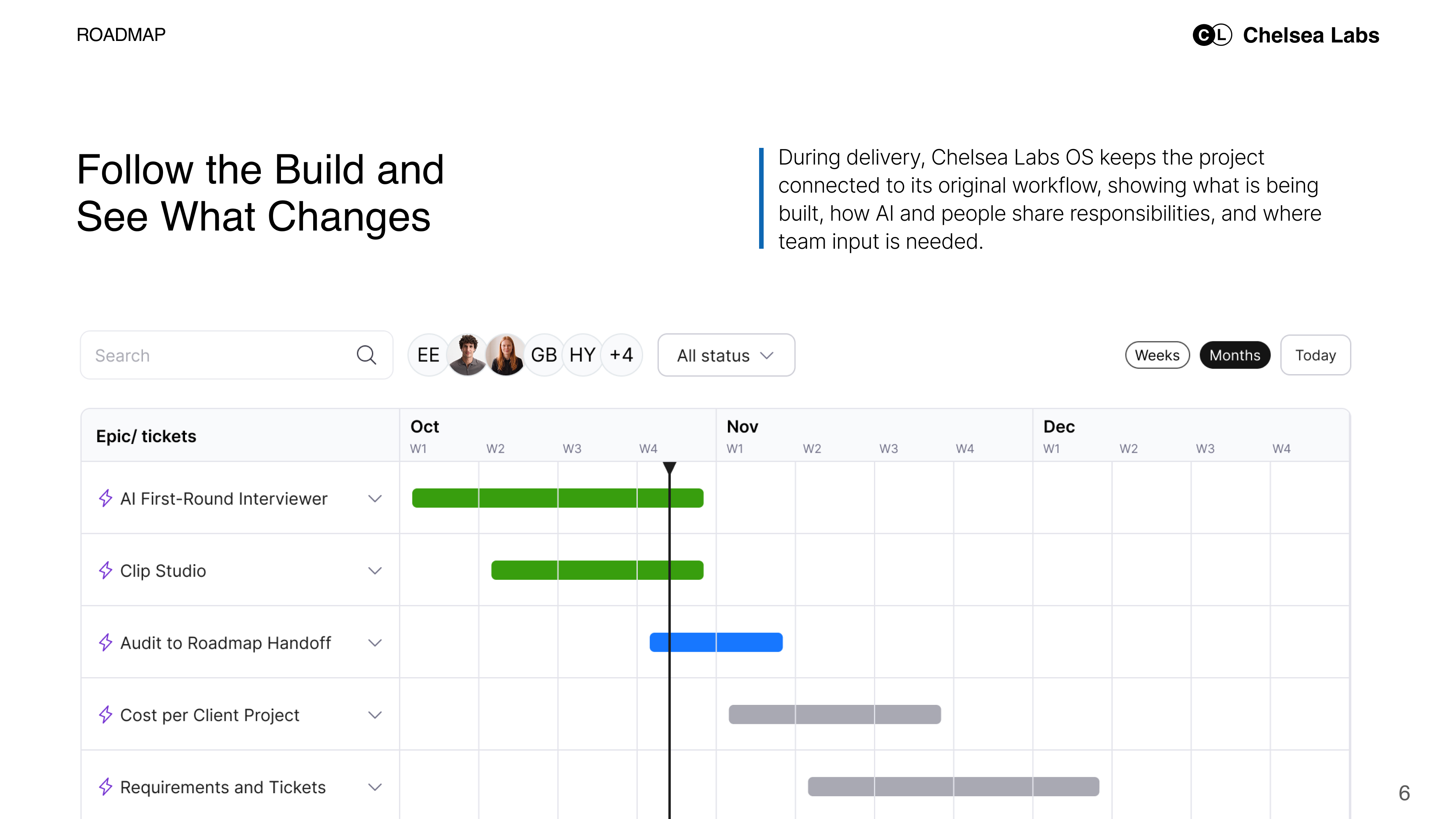
During delivery, your team needs to understand what is being built and where your input is needed.
The project stays connected to the workflow it is intended to improve. That keeps the original problem and agreed scope available alongside progress.
For hiring, the updated workflow shows how an agent can conduct a structured screen, prepare a summary, and coordinate an interview after the hiring manager approves a candidate.
Your team can see where responsibilities change. The agent handles defined steps. The hiring manager reviews the information and decides who moves forward.
As we test the application, feedback helps refine both the software and the workflow. An unclear summary may need a different format. A missing response may need a review step. Those changes remain tied to the purpose of the project.
Open the Application and Get to Work
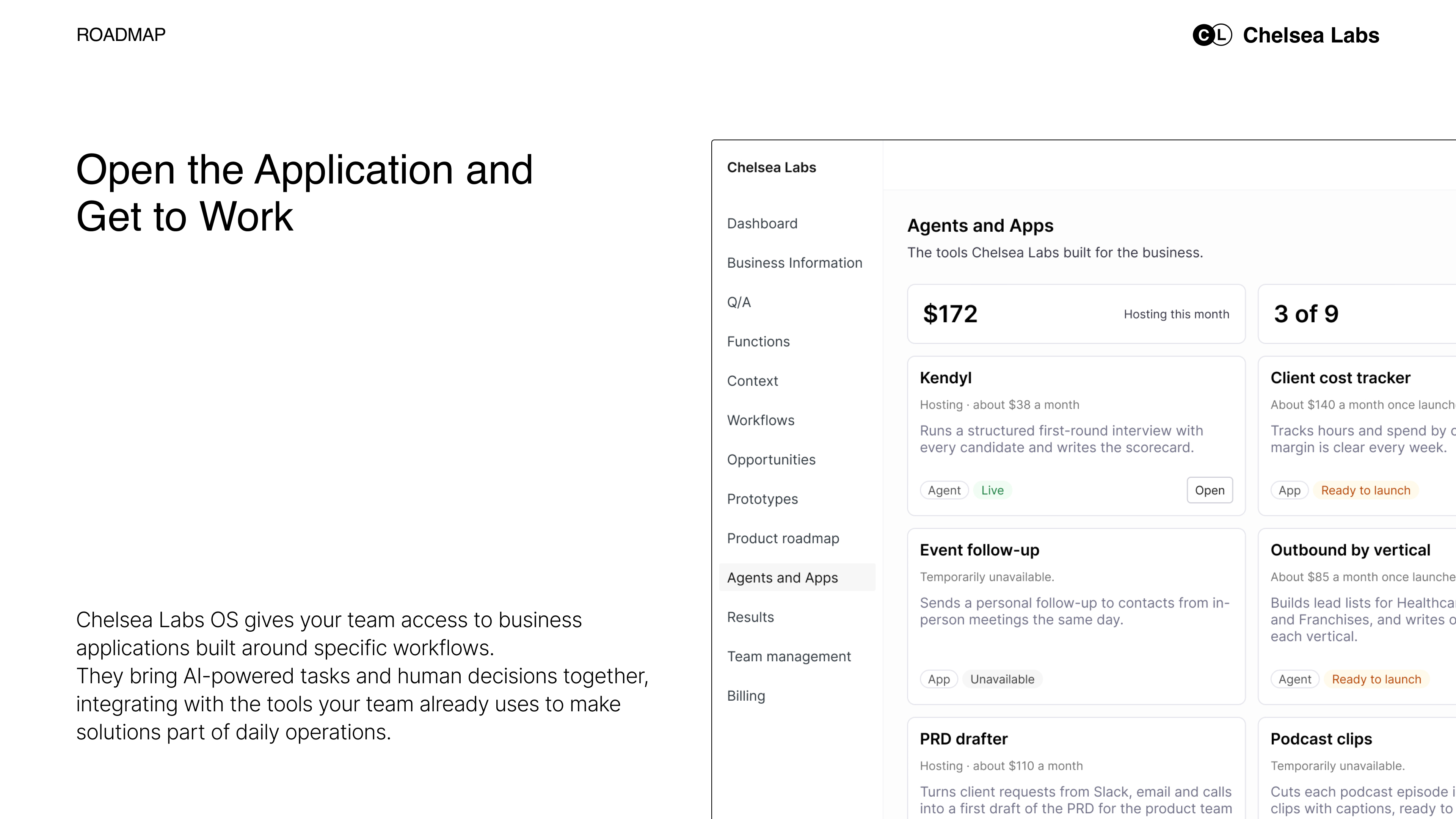
The application is where the project becomes part of daily operations.
Chelsea Labs OS gives your team a shared place to access the applications built for your business. Each serves a defined purpose within a workflow.
For hiring, that could mean opening a candidate record, reading the screening summary alongside the original responses, and deciding whether the candidate should move forward. The application gives the manager the information and actions needed for that step.
Other applications might help employees review extracted document information, follow up on sales opportunities, prepare quotes, or deliver a new paid service.
Some steps happen in the application. Others continue in the tools your team already uses. The design follows the work, including the points where someone needs to review an exception or approve an action.
Return to the Project to See What Improved
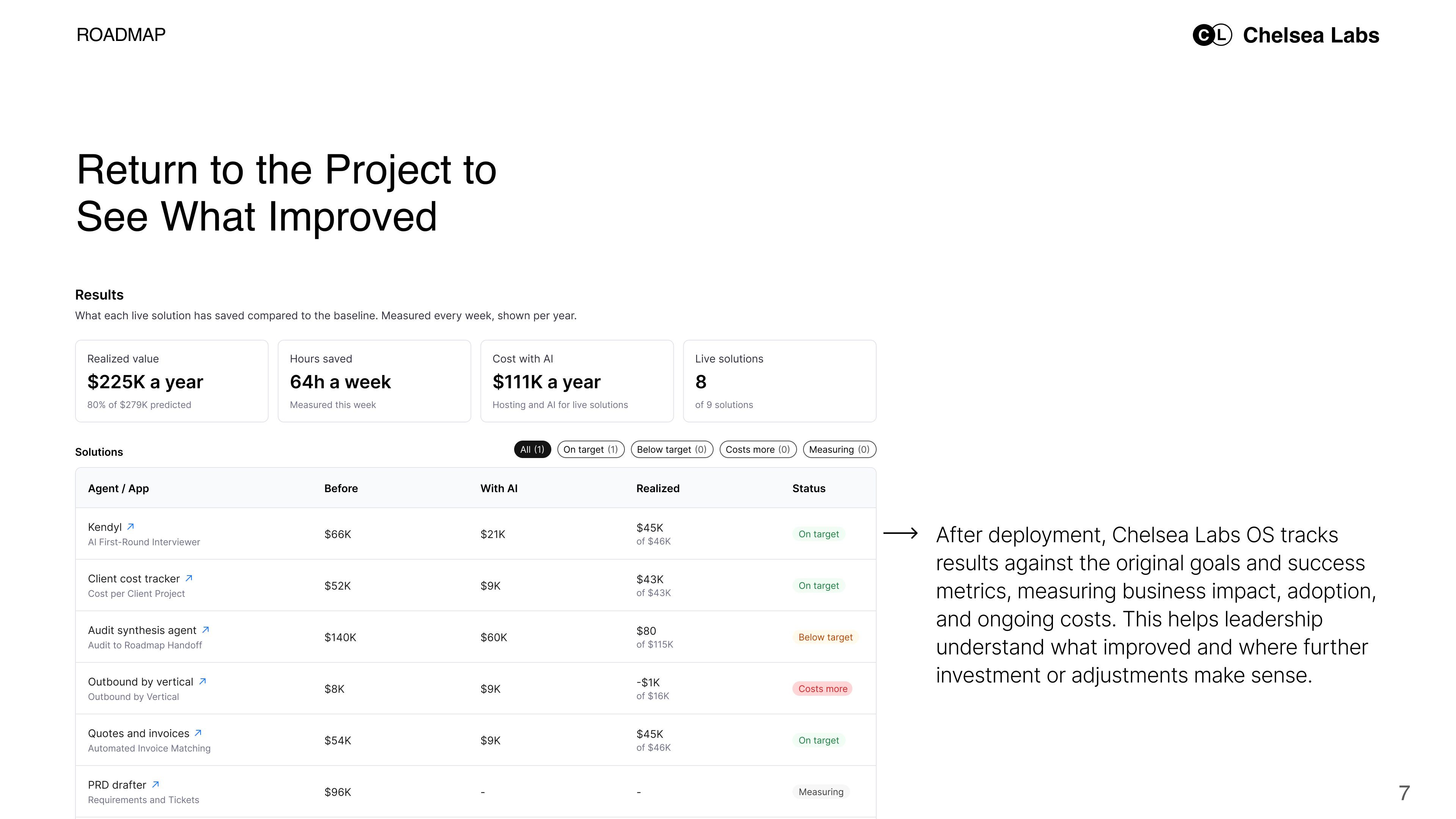
After deployment, the project should still answer a practical question: is the solution doing what we built it to do?
We bring the findings back to the baseline and success measures established during Discovery.
For hiring, we would assess time spent on screening and coordination, candidate response times, and screening summary accuracy. We would also include the time managers spend reviewing or correcting the agent’s work.
That gives leadership a clearer view of the outcome. If the team gains capacity, we can assess how it uses that time. If the workflow still requires repeated corrections, we know where to improve it.
For other projects, the measures may include processing time, errors, conversion rates, revenue, or delivery costs. We account for adoption and the ongoing cost of running the solution.
Keeping those findings with the project helps your team understand what changed and decide whether further investment makes sense.
Use What You Learn Across the Portfolio
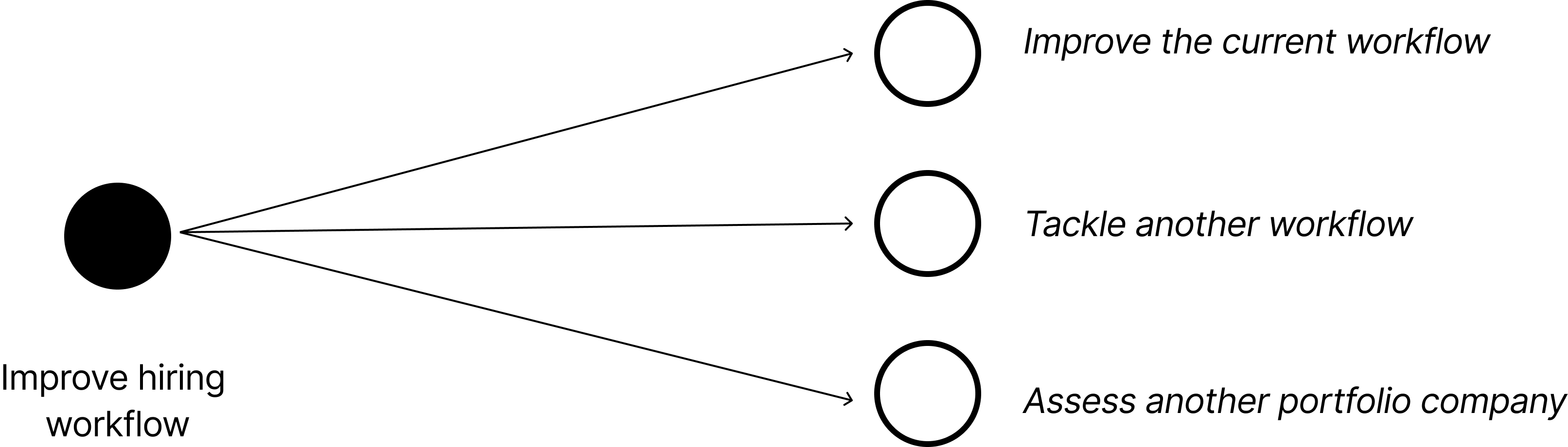
For a private equity firm, a successful project can inform decisions beyond one company.
Chelsea Labs OS organizes the work by company, helping teams see where opportunities have been identified, which projects are underway, and which applications have been deployed.
If another portfolio company faces a similar problem, the first project gives the next assessment a starting point. We can review the workflow, the application, and what the deployment taught us.
A hiring solution may need different screening questions and approval steps. A quote follow-up workflow may need to connect to a different customer management system. We assess those differences before deciding what can carry over.
Over time, the portfolio builds a record of what has been tried, what has worked, and what each company needs next.
See It in Our Own Workspace
We use Chelsea Labs OS to organize our own business context, workflows, and AI initiatives.
The hiring example shows how those pieces connect. A business need leads to a workflow assessment. An opportunity becomes a project. The project produces an application, and the results inform what we do next.
That is the experience we want your team to have: a clear view of why the work matters, what is being delivered, and what changes once it is in use.
[Explore the Chelsea Labs OS Workspace]
Have a workflow or growth opportunity in mind? We can help you assess it and define a practical starting point.