

What Your First AI Win Looks Like (People)
How to choose your first AI project and measure the results in your portfolio.

AI’s Capabilities Are Rapidly Expanding
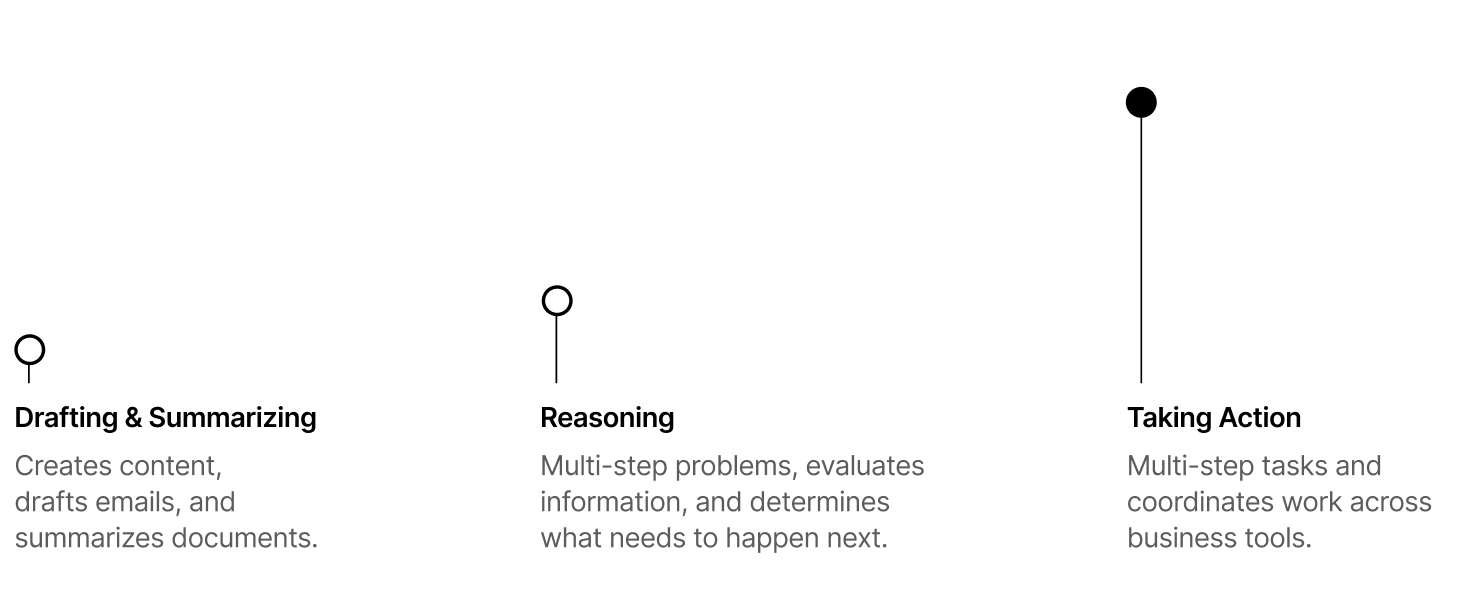
A few years ago, using AI often meant asking a chatbot to draft an email or summarize a document. You gave it a task, it returned an answer, and you carried on with the work.
Today, AI can carry that work beyond the chat window. Connected to the right tools, an AI agent can read an incoming email, look up the customer’s account, and prepare a response based of their data. It can then update the customer record and schedule a follow-up.
That means AI can take on a sequence of tasks across the tools your team already uses. Your team sets the instructions, gives it access to the information it needs, and decides which actions require approval.
Businesses are still learning how to put these capabilities to work.
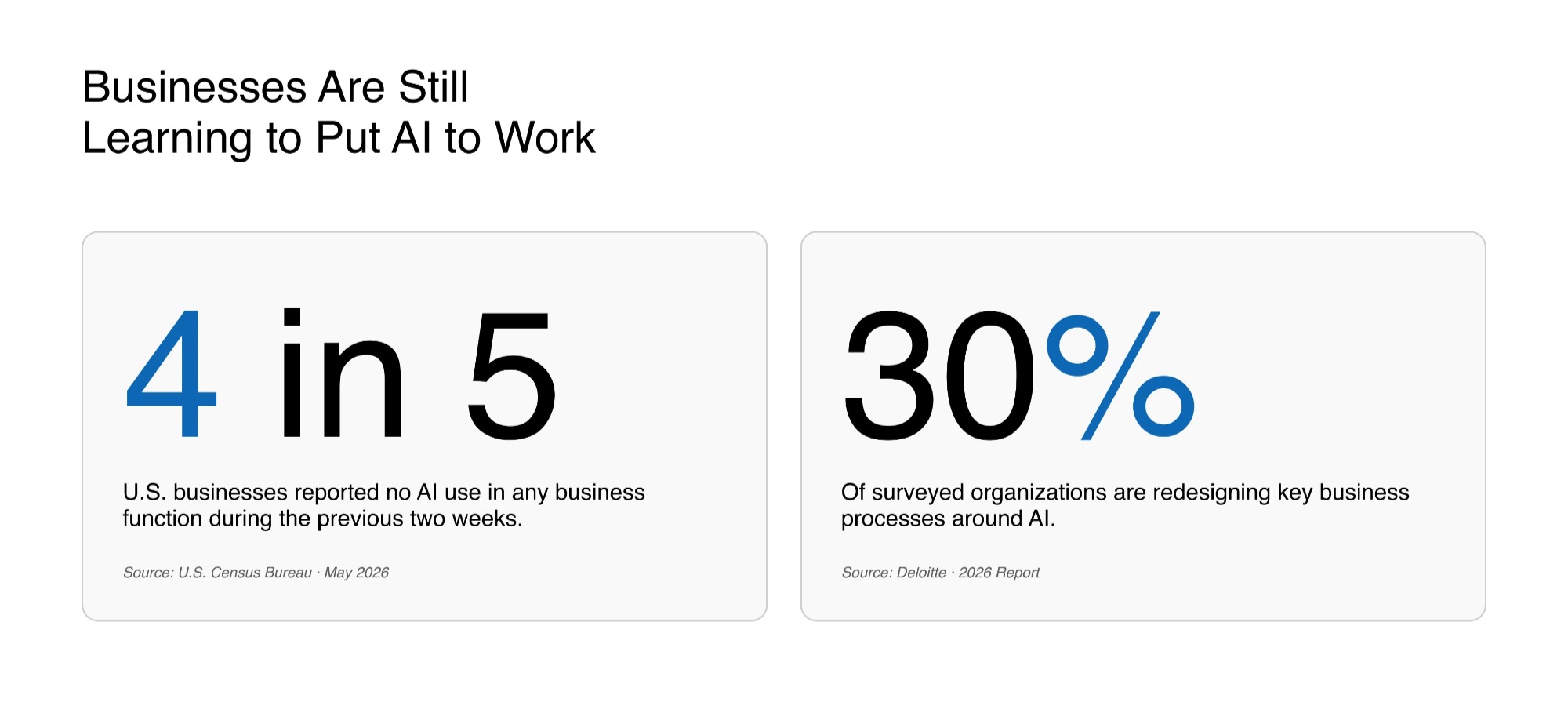
Businesses are still learning how to put these capabilities to work. In May 2026, roughly four in five U.S. businesses reported no AI use in a business function during the previous two weeks. In a separate study, Deloitte’s 2026 report found that only 30% of organizations were redesigning key business processes around AI.
For business owners and private equity firms, the opportunity starts with looking at the work itself. Where does someone spend hours collecting information, following up, or moving a task between systems? Which of those steps could an agent handle, and where would a person still need to make a decision?
Your first AI win starts with one recurring workflow and a clear idea of what should improve.
What a Workflow Looks Like Before and After AI
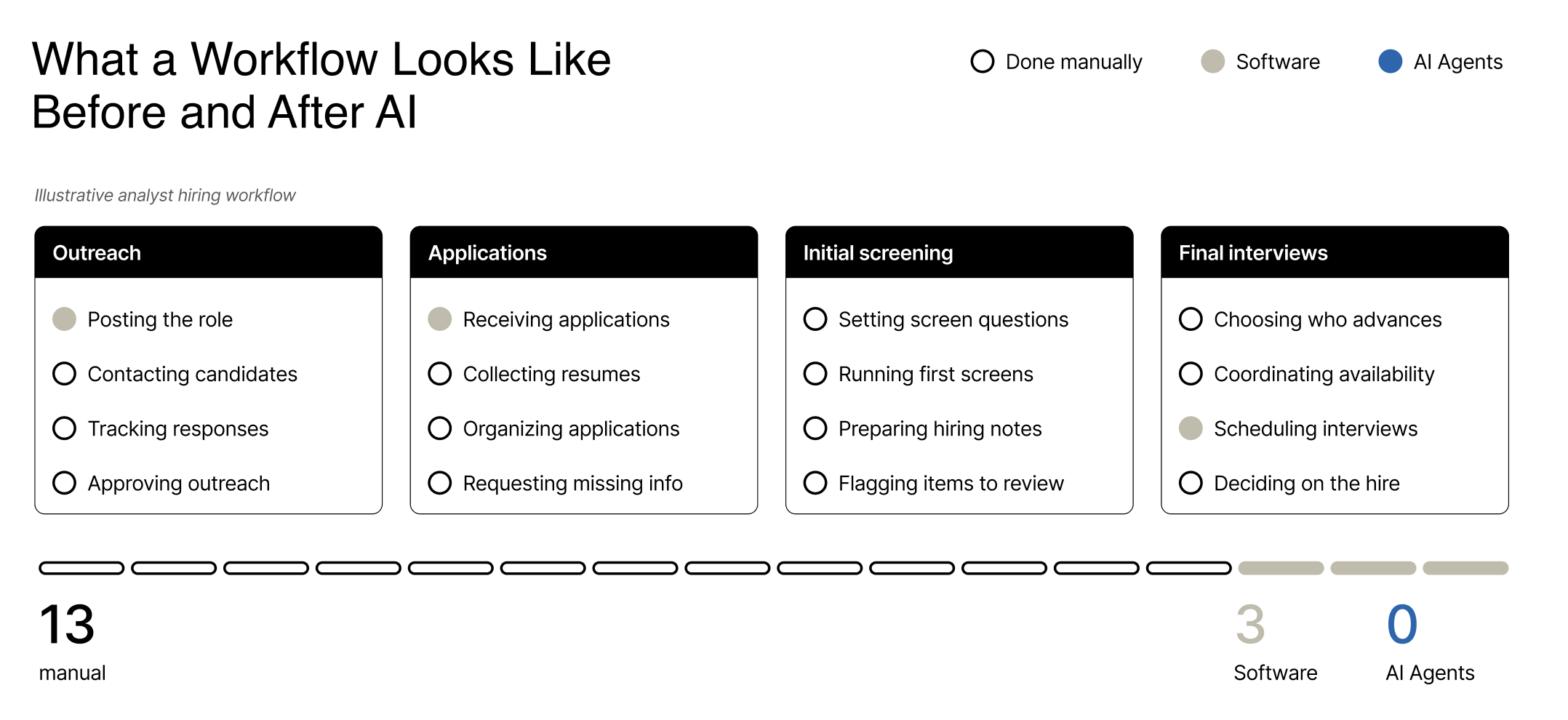
Think about a job that takes your team across several tools. Say you’re hiring an analyst. The job post is on LinkedIn, applications arrive in an inbox, and interviews are booked through Calendly. Someone has to keep the process moving.
Here’s an illustrative example of how that work could change.
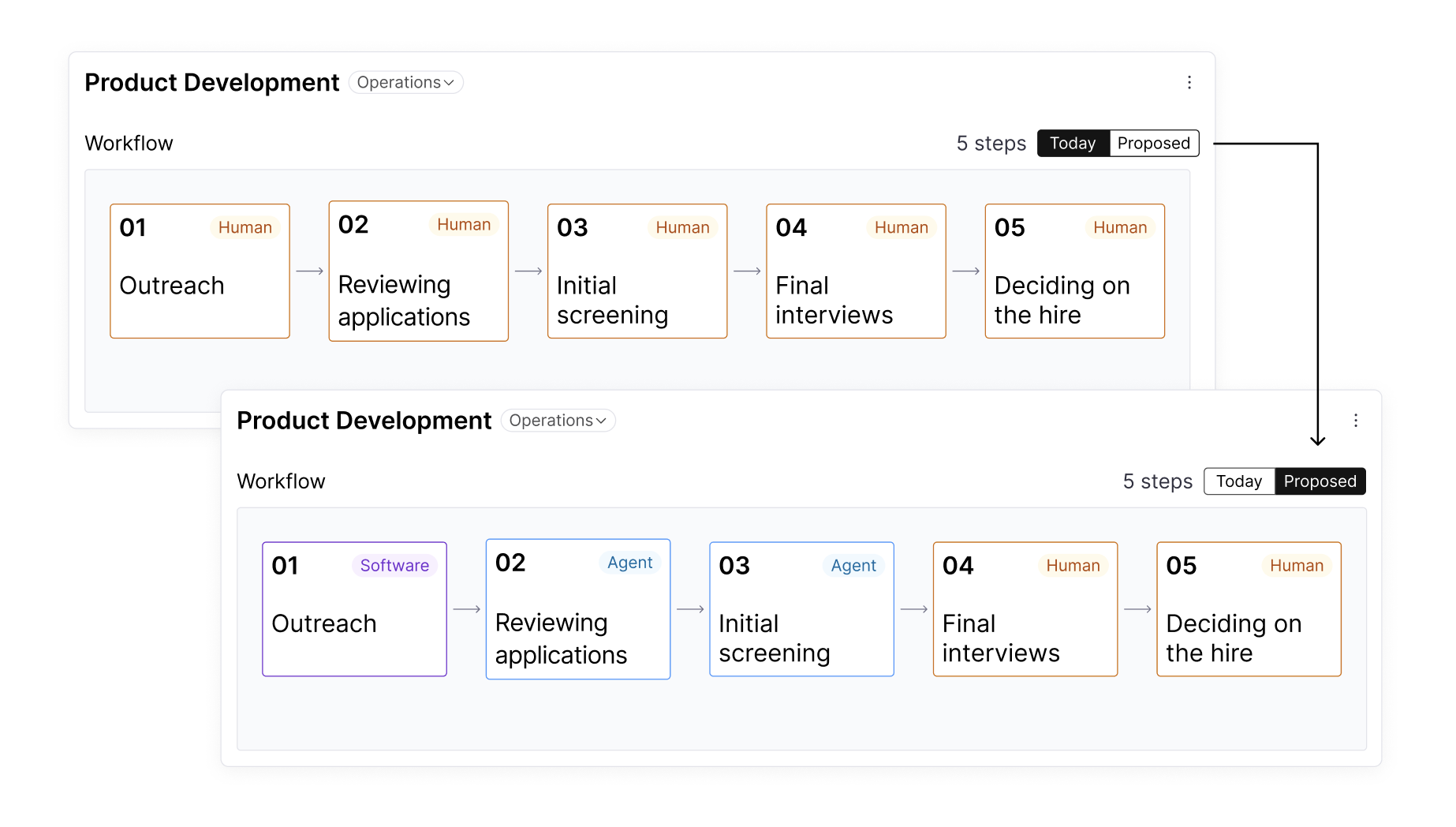
Hiring an analyst before AI
- Outreach. A team member posts the role on LinkedIn and contacts potential candidates.
- Applications. They collect resumes, organize applications, and follow up on missing information.
- Initial screening. They conduct the first screens and prepare notes for the hiring manager.
- Final interviews. They coordinate availability and schedule interviews for the candidates the manager selects.
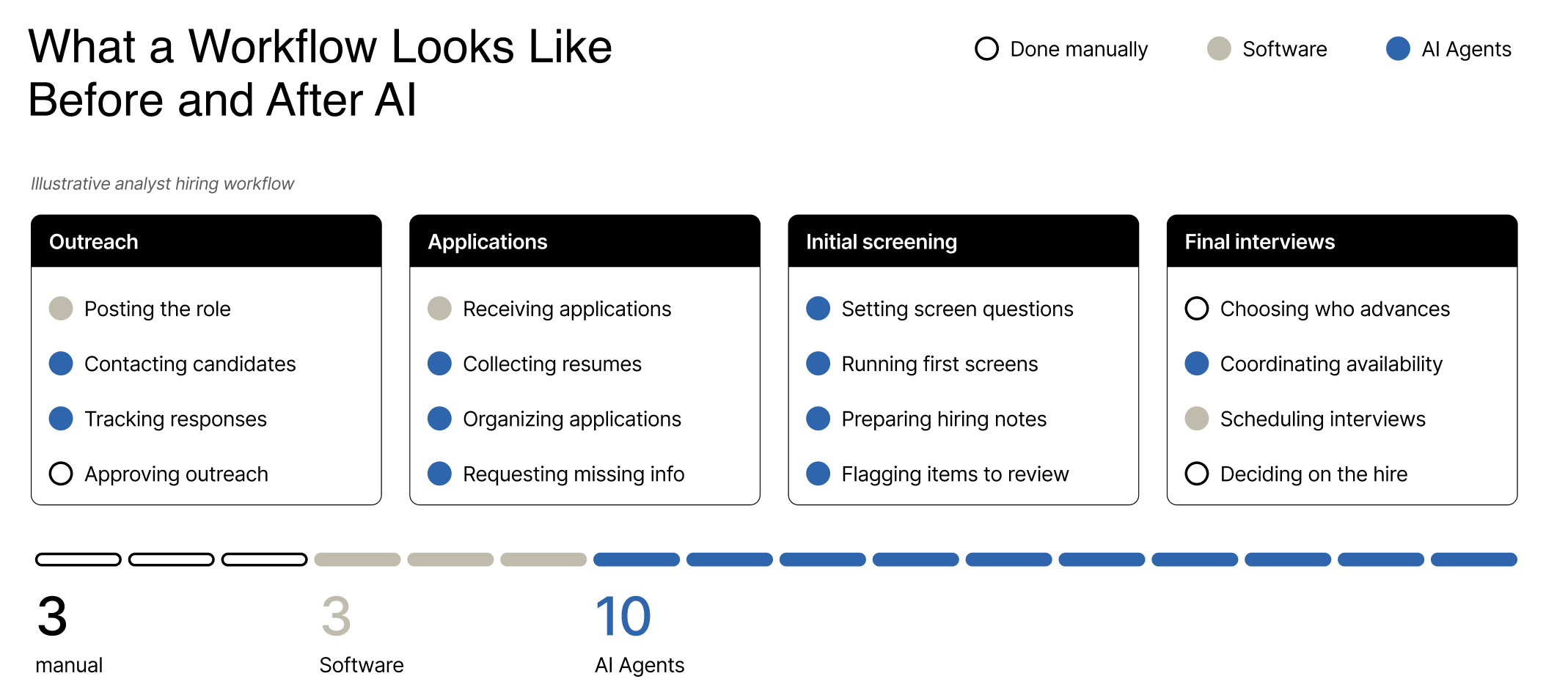
Hiring an analyst with AI
- Outreach. Your team posts the role and approves the outreach. An agent helps coordinate messages and track responses.
- Applications. The agent collects resumes, organizes applications, and requests missing information.
- Initial screening. The agent conducts a structured screen using questions your team sets. It prepares a summary alongside the candidate’s original responses and flags anything that needs review.
- Final interviews. The hiring manager decides who moves forward, and the agent coordinates availability and schedules the interviews.
Your team sets the hiring criteria, reviews candidates, and makes the final hiring decision. The agent handles much of the work around those decisions.
The same pattern can apply to following up on sales opportunities, processing invoices, or moving information between business systems. Look for the steps where someone gathers information, follows instructions, and moves the work forward.
How to Choose Your First AI Workflow
If you hired a chief of staff tomorrow, what recurring work would you hand over?
That question can help you spot work your team already knows how to delegate.
Say one of your portfolio companies installs and repairs HVAC systems. The team sends quotes all week. Once the schedule fills up, following up on open quotes slips down the list. You could show someone where the quotes live, when to follow up, and which questions to send back to the sales team.
That makes quote follow-up worth assessing as a first AI project. The work repeats, the instructions can be defined, and the outcome matters. You can measure whether more quotes receive a timely follow-up and whether more turn into booked jobs.
A useful first project usually has:
- A recurring problem. The work happens often enough for an improvement to matter.
- A manageable scope. You can define where the workflow starts, where it ends, and who owns it.
- Accessible information. The agent can get the records and instructions it needs.
- A clear approval process. Your team knows which actions the agent can take and when a person should step in.
- A measurable outcome. You can track whether the change improves time, quality, capacity, or revenue.
Choose one workflow to assess first. Discovery helps determine whether it is practical to build and valuable enough to pursue.
Discover: Understand the Work Before You Build
We sit down with leadership and the people doing the work to understand how the process runs today. We walk through a recent example and document:
- The steps the team follows and the tools they use.
- Where work slows down or someone has to chase an answer.
- The exceptions that come up and the decisions that require judgment.
Returning to our hiring example, imagine a business hiring two analysts a month with one recruiter. We might find that initial screens and interview scheduling take up much of the recruiter’s time. That gives us a focused project to assess.
Before building, we establish a baseline: recruiter time per candidate, candidate response times, and hires per month. We also agree on what a useful screening summary needs to include and how the hiring manager will check its accuracy.
Then we weigh the expected improvement against the cost and effort of building and running the solution.
You leave Discovery with a defined scope, an estimated cost and timeline, and agreed measures of success.
We record those details in Chelsea Labs OS so everyone can refer back to them during the build.
Build & Deploy: Put AI Into Daily Operations
Once we agree on the scope, we build the solution and connect it to the tools your team already uses. We test the workflow with the people who will use it, including the cases that need a closer look.
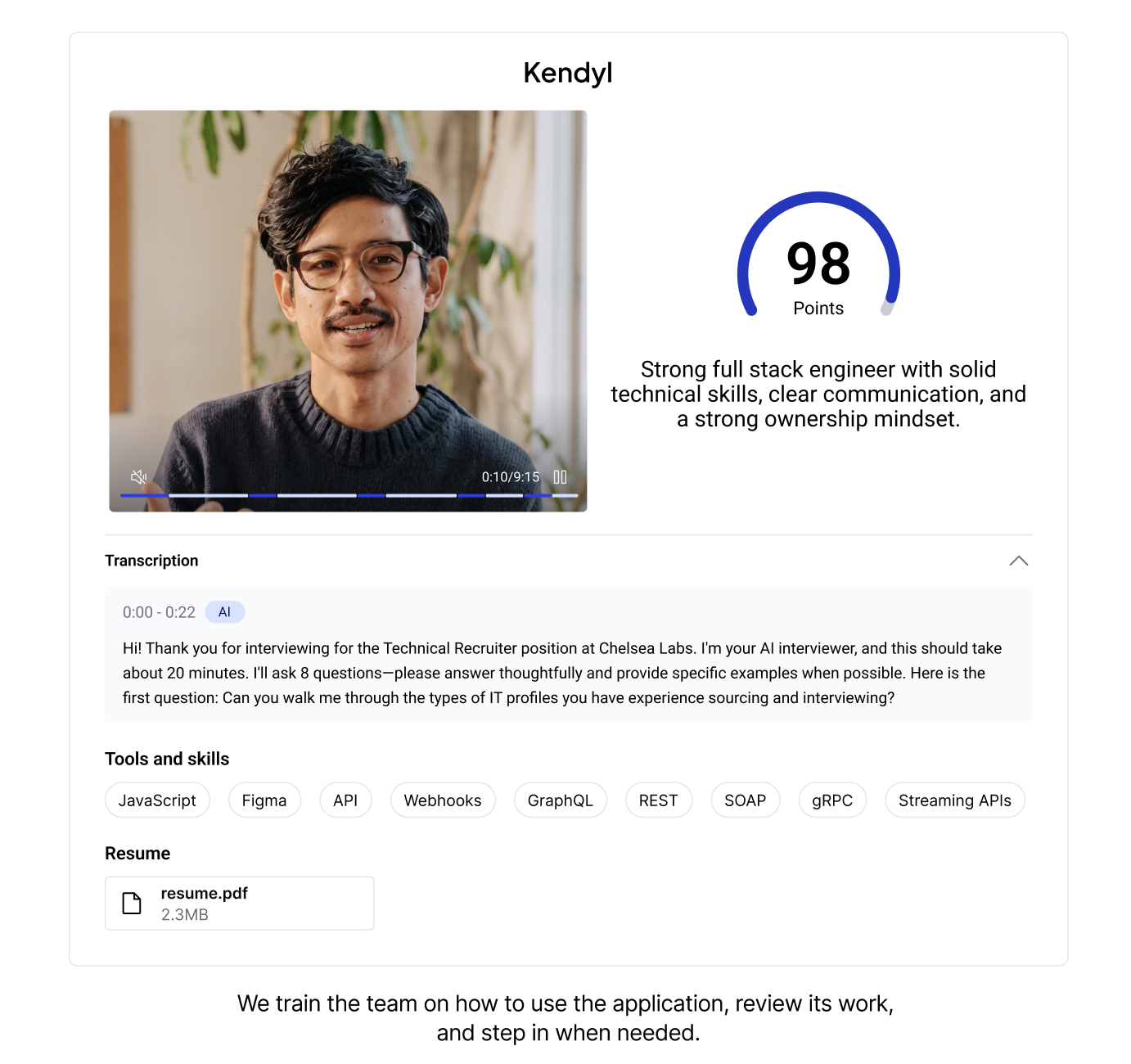
For the hiring project, that means checking whether the agent follows the screening questions, captures responses accurately, and produces summaries the hiring manager can use. If an answer is missing or unclear, the agent flags it for review. Scheduling begins once the manager approves a candidate to move forward.
We start with a small group of candidates so the recruiter and hiring manager can see how the workflow performs in practice. If they’re chasing missing answers or rewriting summaries, we address those issues before expanding the rollout.
We also train the team on how to use the application, review its work, and step in when needed. Your team can follow the rollout and access the application through Chelsea Labs OS.
Measure Results: Prove the Value
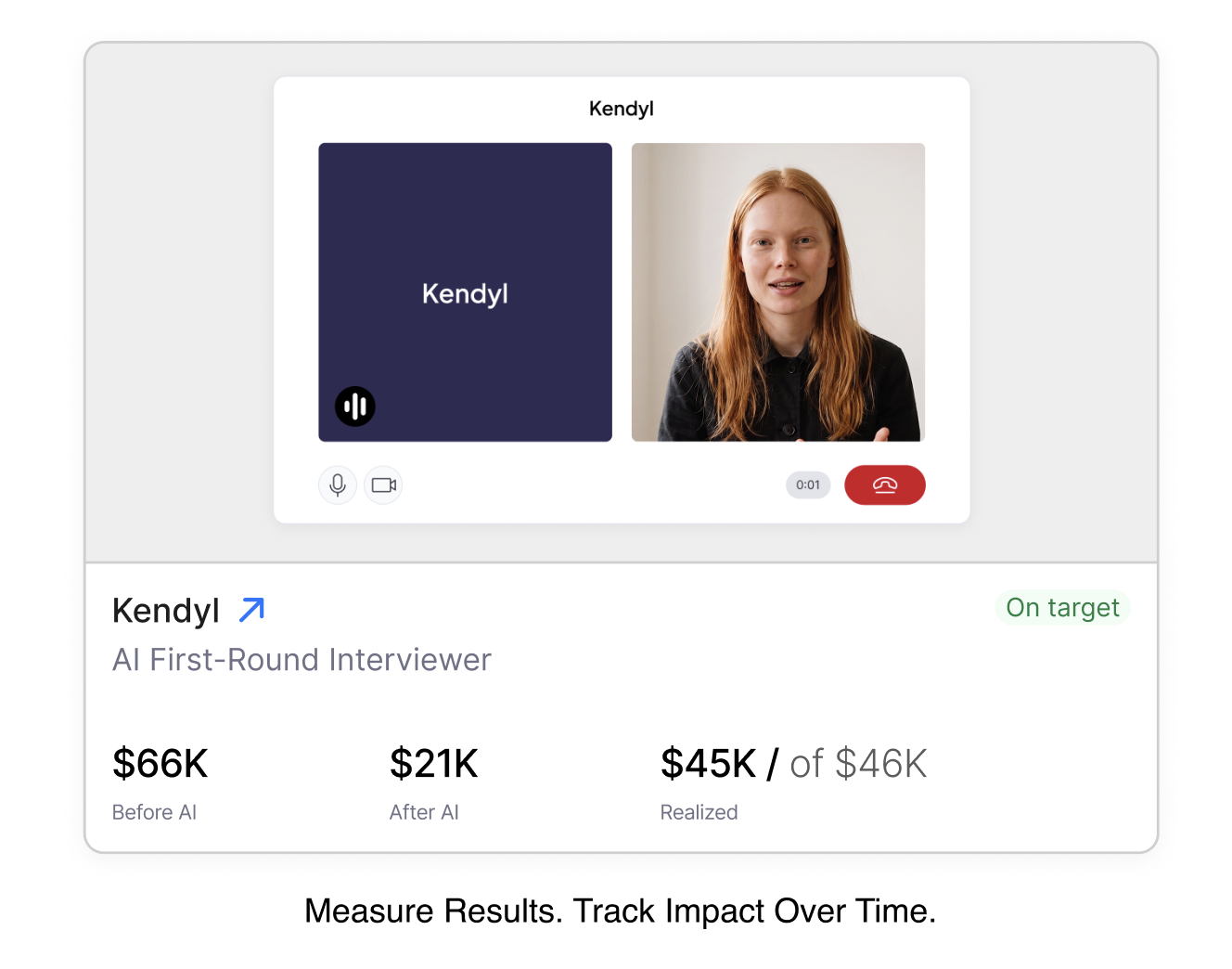
Once the solution is in use, we compare its performance with the baseline from Discovery.
In our hiring example, we’d look at whether the recruiter spends less time per candidate, whether candidates hear back sooner, and whether managers receive accurate screening summaries. We include the time people spend checking and correcting the agent’s work.
If the recruiter gets time back, we then look at what that makes possible. Can they handle more candidates or support another open role? We track hires per month alongside recruiter time, while accounting for changes in hiring demand and the roles being filled.
We also watch for work that creeps back in. If managers keep rewriting summaries or the recruiter still schedules interviews by hand, we find out why and adjust the workflow.
The measures depend on the project. For quote follow-up, we might track response rates and booked jobs. For invoice processing, we might track turnaround time and errors. For a new paid service, we’d track paying customers, revenue, and delivery costs.
Time saved gives your team more capacity. Direct cost savings happen when spending goes down. We report those outcomes separately and account for the cost of running the solution.
Chelsea Labs OS keeps the baseline and results together so your team can see what improved, what it costs, and where it still needs work.
Use Your First Win to Decide What Comes Next
The results help you choose the next step.
If the hiring workflow gives the recruiter time back and managers trust the summaries, onboarding might be the next opportunity. If the recruiter is still scheduling interviews by hand, improve that step before expanding.
For a private equity firm, the next opportunity may also be at another portfolio company. A recruiting team with a similar bottleneck could use the first project as a starting point. We’d assess which parts can carry over and what needs to change for that company’s hiring criteria, tools, and approval process.
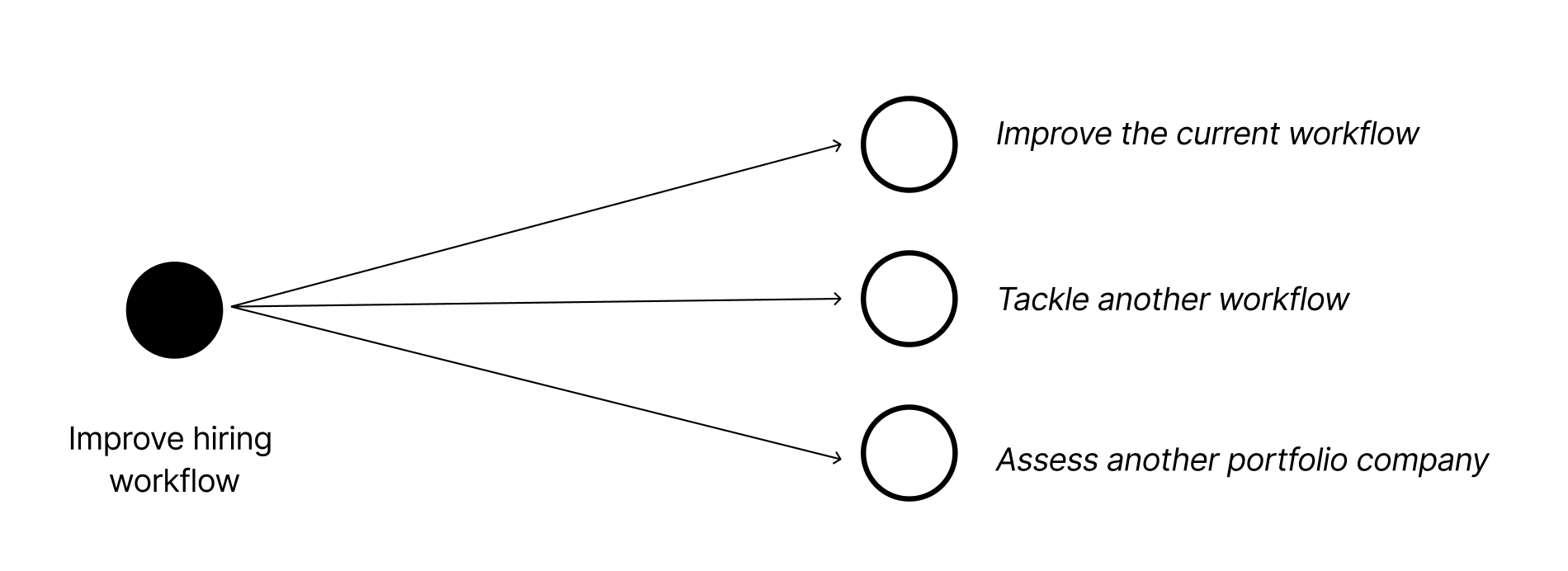
Each deployment gives you evidence to make the next decision: improve the current workflow, tackle another one, or assess the opportunity elsewhere in the portfolio.
How Chelsea Labs OS Connects the Process
Six months after launch, someone on your team should be able to pull up the project and see why you chose it, what you built, and what changed.
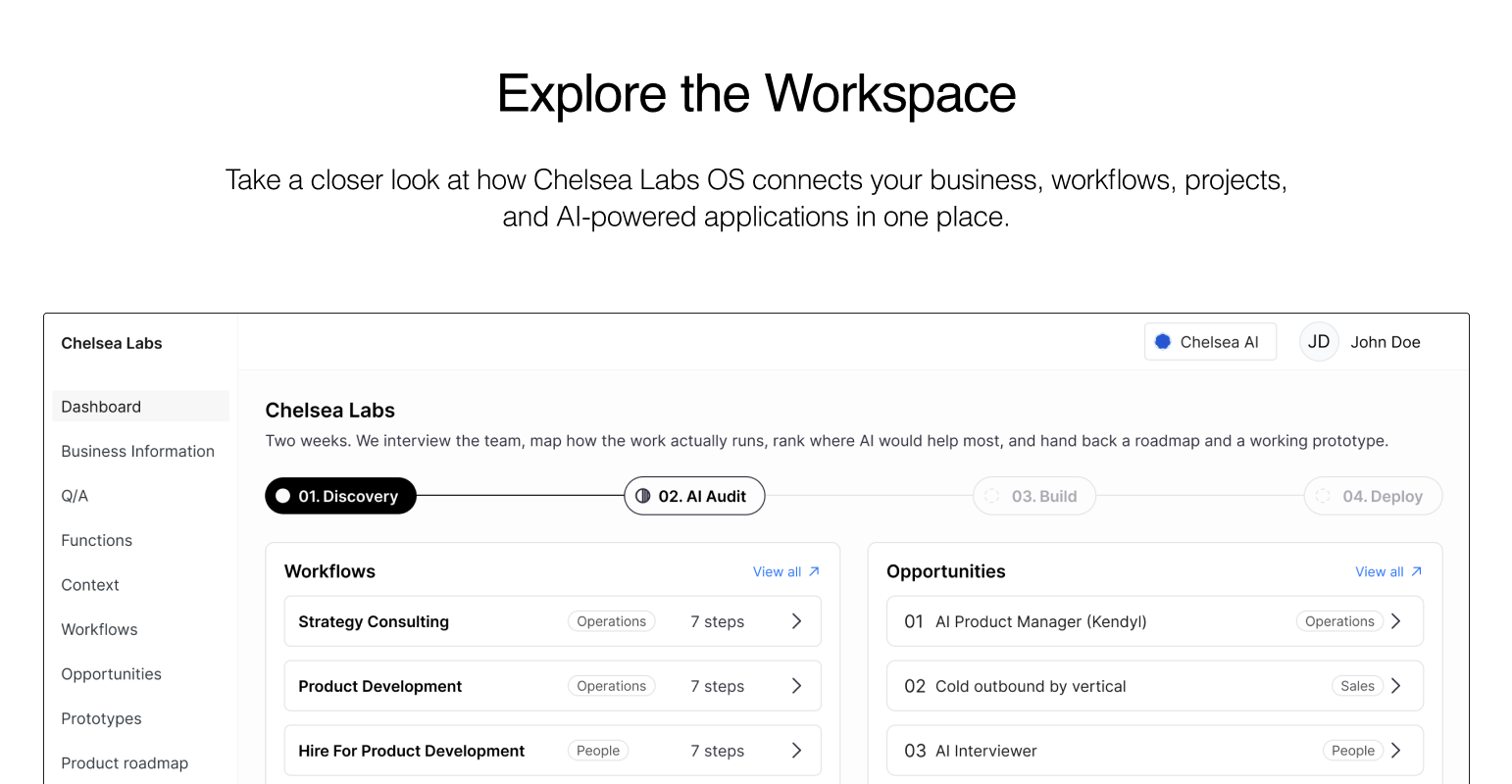
Chelsea Labs OS keeps that record in one place. It connects the original workflow and project scope to the deployed application and its results. Across a portfolio, you can see which companies are exploring opportunities, which projects are underway, and what each deployment has taught you.
In the next article, we’ll show how Chelsea Labs OS supports each stage, from mapping the work to tracking results after launch.
Have a workflow in mind? We can help you assess whether it’s a good first project and decide what to measure.